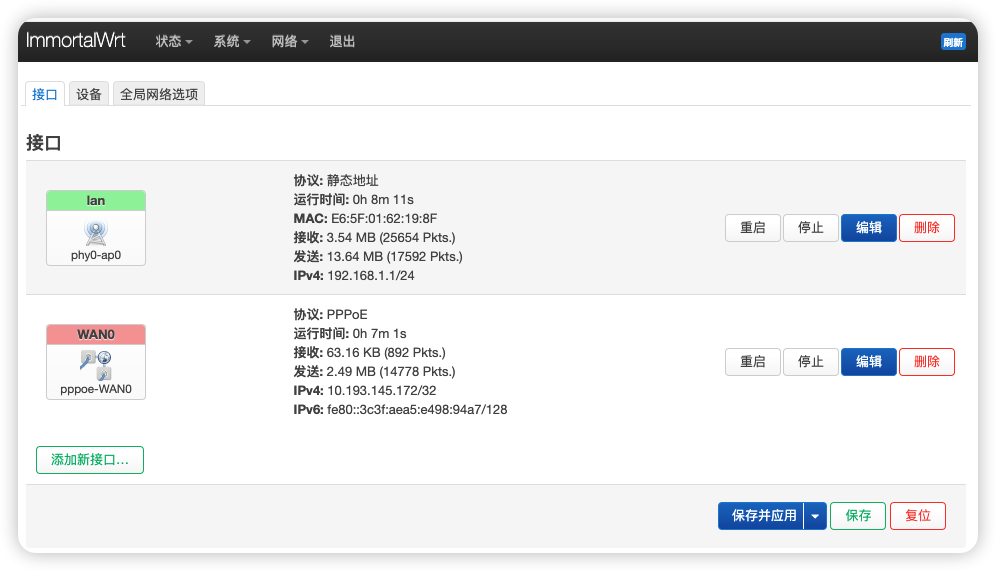
PPPoE Dial-up Connection Solution
For home dial-up, the software router acts as the main router. Related dial-up account acquisition is not covered here. Please see Bridging Mode Tutorial.
Campus network dial-up is more complex and may fail due to device type detection.

Solution:
Reference this tutorial to solve dial-up issues: Installing OpenWrt on Raspberry Pi as Main Router and Solving Campus Network Login Page Access Issues
1. Create WAN0 Interface and Configure Dial-up Account

This firewall setting is very important! Otherwise WiFi won't work!

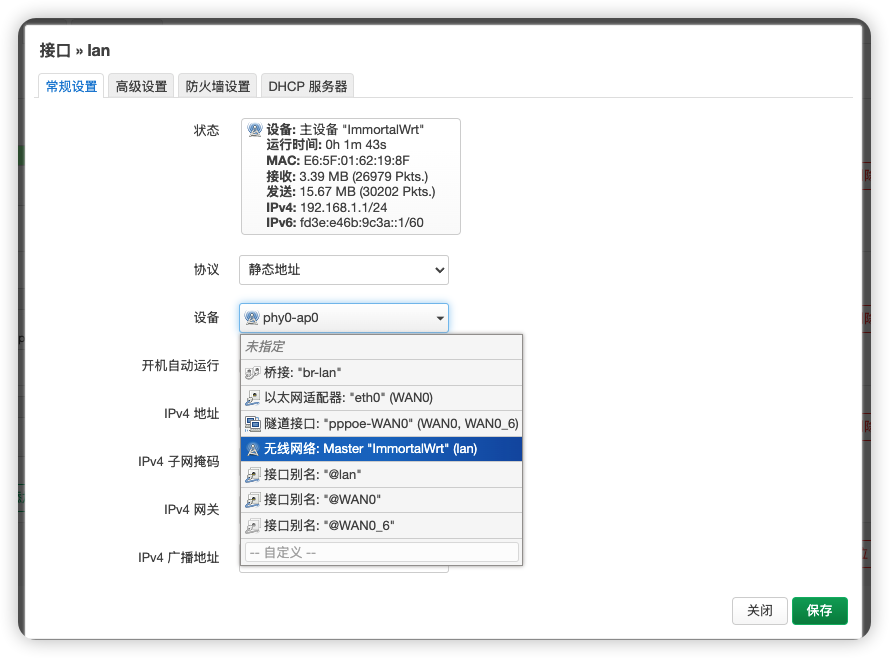
2. LAN Port Settings: Change Device to Wireless Network

3. Troubleshooting: Set WiFi to Highest Priority
If you encounter issues, set WiFi to the highest priority and test again! (This applies to macOS; for Windows, disconnect Ethernet connection to consider network priority)
Final result as shown below: